

Have you been using Twitter to attract some attention to your website?
If you have then you know how useful a tool Twitter is in terms of getting yourself in touch with your audience. Social media is not only for celebrities to post pixelated graphic photos; it’s also for all sorts of businesses to reach out to their potential clients.
Embedded Twitter timelines allow you to be more hands on with the way you use your timeline to impact your websites and/or blogs. Embedding it allows you to share realtime tweets to your website.
Embedded Tweets
Before going into embedded timelines, it’s important we first say something about embedded tweets because apart from sharing your timeline there is the option to share single tweets. These tweets are shown on your website or blog just by following a simple process. Click on the ‘more’ button just below the tweet that you would like to share. Once you’ve done this there will appear a selection menu with the option “embed tweet, ” this is what you want to click on. The final step is to copy and paste the code you have been given to your blog or website and the tweet is shared to your other audiences. This way you can share all kinds of tweets including those with videos, photos or Twitter cards. An important thing to note though is that only photos from pic.twitter.com and videos from YouTube can be displayed on embedded tweets.
Embedded Timelines
Twitter introduced this feature to the platform to enable users to share their timelines to their blogs and websites. It connects your Twitter to your site or blog such that the blog or site is more interactive. People can reply to tweets, favorite them and retweet them right from your blog or site. If you have been using this already, then you will be happy to hear that the embedded timeline will be rolled out in a week’s time as an upgraded version. The enhanced timeline will advance on old features and add new ones like twitter polls. One of the new features that will be available as from 3rd of March is embedded profiles, which pretty much describes the motive behind the yet-to-be unveiled version; giving the end user more control over what they can share. All user timelines will also undergo an upgrade so that there is no glitch when it comes to functionality. The customization features and unique settings for individual timelines will not be lost though, as the settings will be retained.
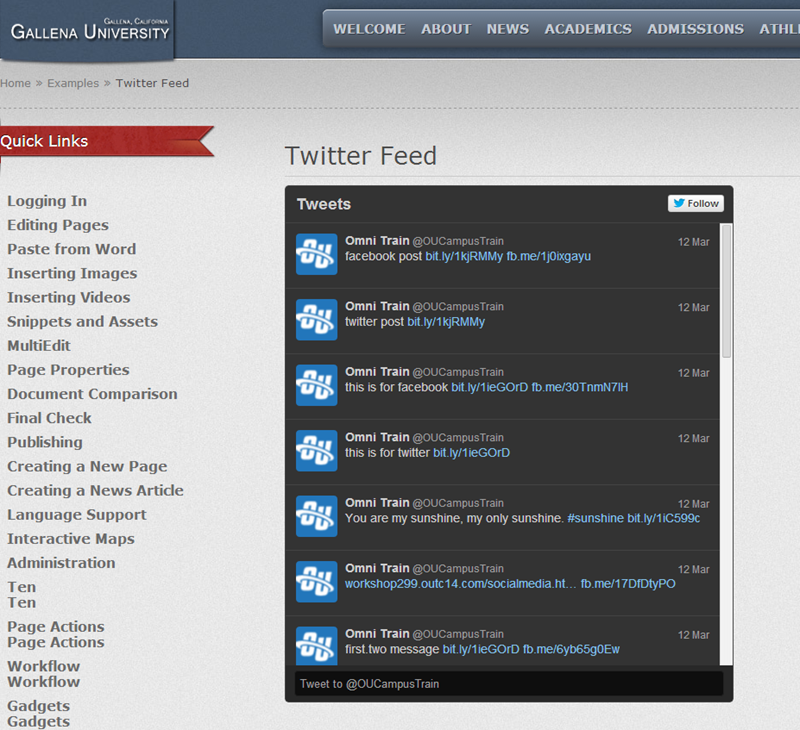
Embedding Your Timeline
Log on Twitter and go to the settings. Select on widgets and while on this menu and click on “create new.”Go ahead and customize things like the link color and theme so that it’s unique to your site. While you’re at it, remember to configure your timeline so that it can auto-expand tweets that contain media. Once you are satisfied with what you have, click on “create widget” and you will have your embedded timeline. Copy the code your have received and paste it on your website’s or blog’s HTML and that’s it.
Now you have a simple way of interacting with the people that view your website. In addition, you can get instant responses to whatever you post and reply to them just like you would on Twitter.
Join the conversation